Scenario v3.4
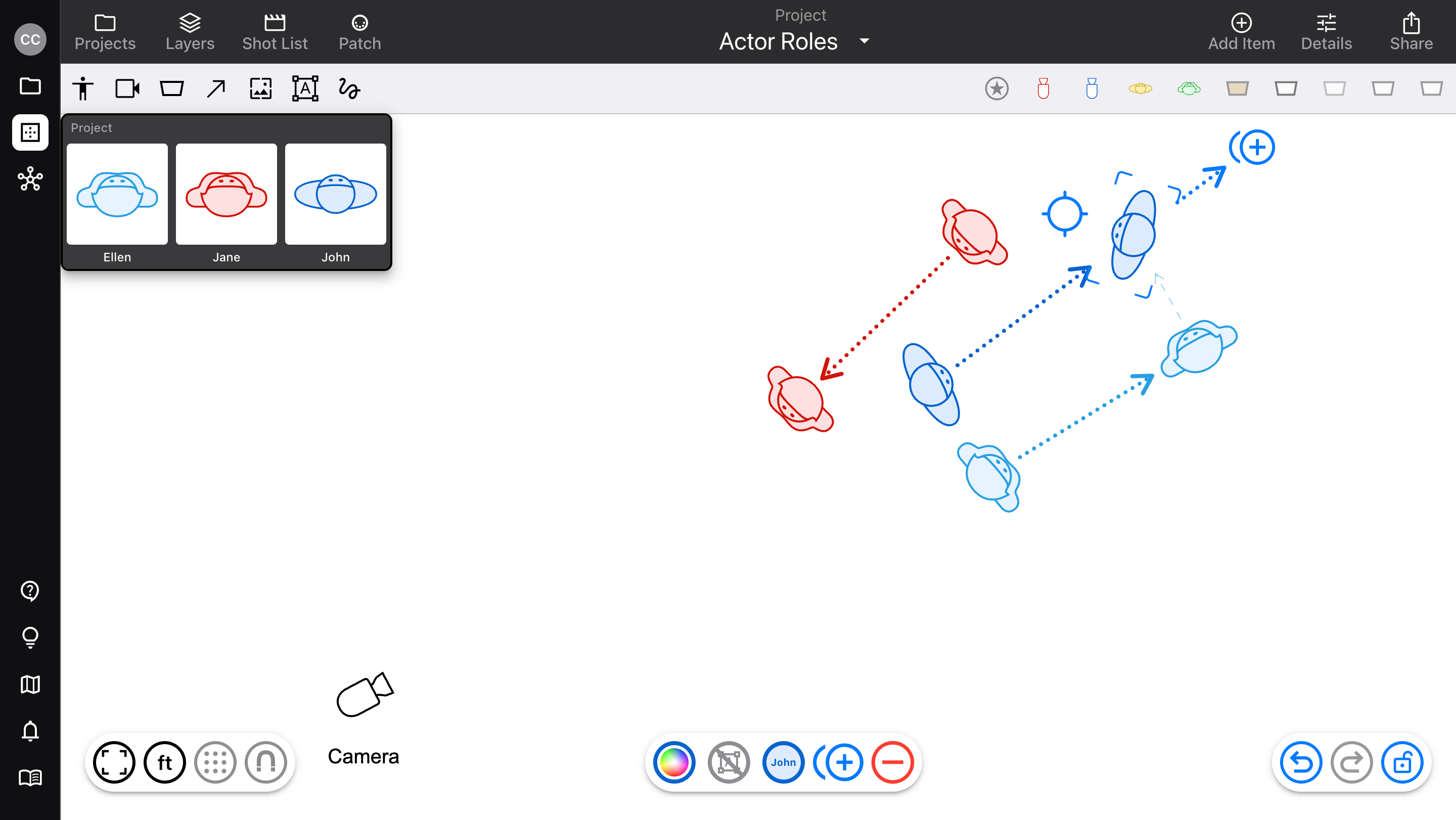
Updates to Actor, Camera, and Fixture items on the diagram
Released April 8, 2026
Availability: all devices, all accounts
Actor “roles”
Just like the “cam” feature for cameras, “role” makes it easier to use recurring characters in a project or diagram.
Create roles in a whole project’s scope, or specific to a diagram
Style with item type, stroke/fill color, and name (changing these anywhere updates the whole scope)
Add easily from quick items
Camera-specific lens package scope

In many cases, it makes more sense to associate lens packages with camera packages, than with projects or diagrams. This is useful when using camera bodies with different mounts or formats, or for multi-cam TV where each camera has its own lens.
If a camera has a Cam assigned, you can add lenses to the “Cam” scope
This lens package will use the scope of the Cam itself (project or diagram), so it’s available anywhere the Cam is
Fixture beams
For Pro accounts with Cloud Library access

Visualize a fixture’s beam spread on your diagram, the same way you can see a camera’s field of view.
Available for most Cloud Library fixtures (and updating the rest of them)
For variable beams, adjust spot/flood within the fixture’s limits
Choose whether the beam is always visible, or only when the fixture is selected
Choose whether the beam is blocked by Wall items
Other fixes
When a shot is marked Done or Won’t Do, and that shot contains multiple cameras connected by arrows, the arrows are also made lighter (like the cameras)