Scenario v3.8
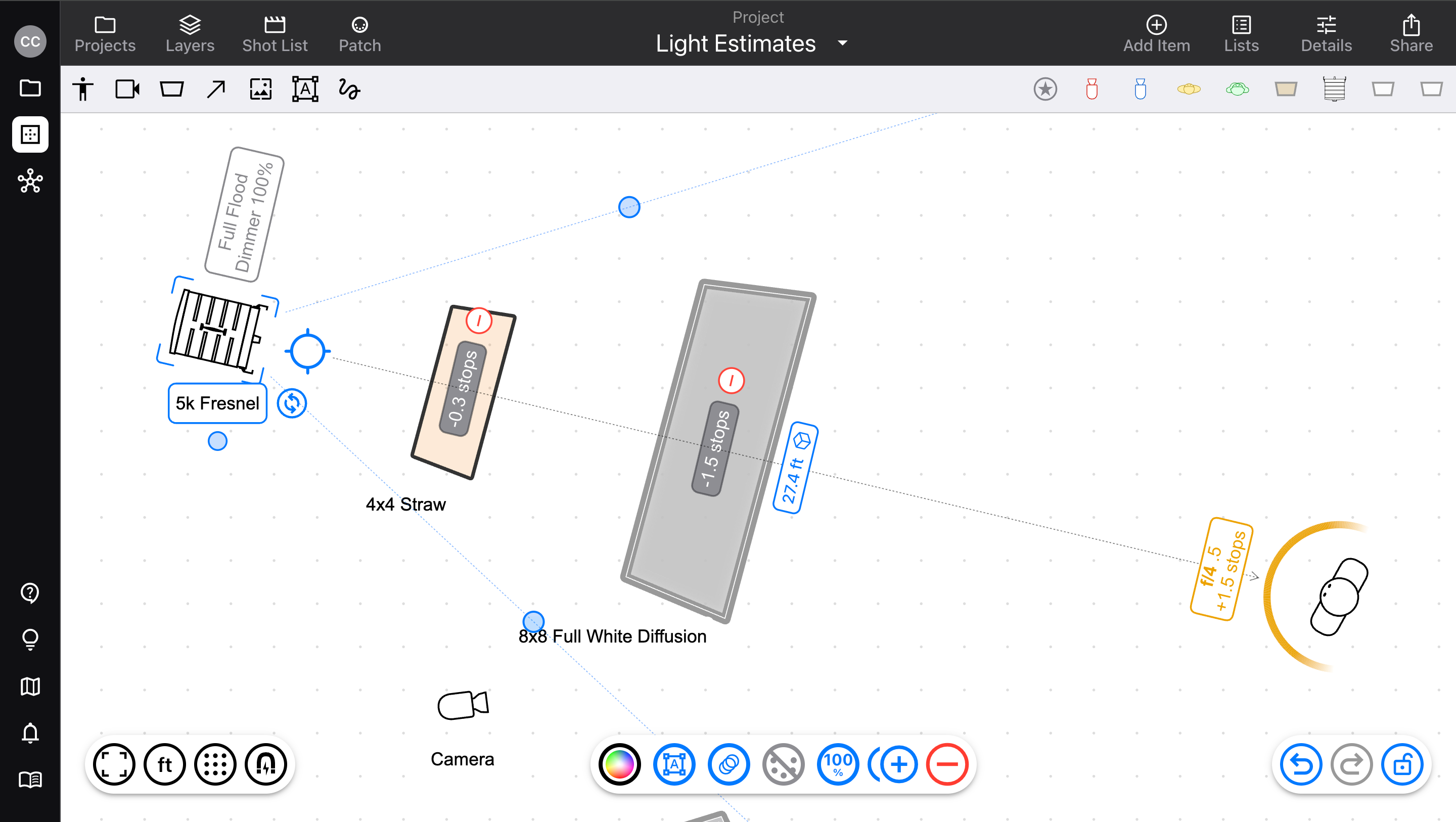
Light estimates ensure you always pick the right equipment.
Released July 2, 2026
Availability: all devices, all accounts
Light estimates
Knowing how much light your fixtures will produce is a critical part of planning a lighting setup. Now, Scenario does those calculations for you, all in the context of your diagram.
For your diagram, choose to calculate in Lux, Foot-candles, or F-stop (and choose your camera settings)
Any fixture that’s targeting another item will display its calculated illuminance, based on factors like spot/flood, distance, dimmer value, and gels
Any frames that are placed between the fixture and its target will automatically affect the exposure, including diffusion frames that affect falloff
Set a fixture to target a bounce frame, and calculate approximate bounced exposure
Adjust item heights to calculate using real-world three-dimensional distances
Built-in library fixtures use generic beam spread and output, while Pro users have access to model-specific values from manufacturers
Select the fixture to see its isolated effect on its target; select the target to see the cumulative illuminance from all items targeting it
“Sun” item
To ensure that light behaves as close to real-world as possible, we’ve made the sun its own type of item.
It still moves and targets like a fixture, interacts with frames and bounce the same way, but has no beam edges
Sunlight has effectively no distance-based falloff; instead, just choose a preset brightness, or customize from a meter reading
Frame materials
Added new bounce materials to choose from: bleached muslin, soft silver, soft & hard mirror
Visibility
Don’t need to see light estimates? Go to Layers > Types and hide them, so they stay out of your way.
v3.8.1
Small fix: ambient values were not properly factoring into cumulative light levels