Changelog

Follow new updates and improvements to Scenario.

Scenario v2.8

Starting now, we’re sending version updates to all users via email. If you’d like to unsubscribe from email updates, click the link at the bottom of the email. You can always find these updates in the bottom left corner of the app Projects view, and new updates will still appear when you open the app.

Lots of new features, including Markup, new items, and more!

  • Released December 12, 2025

  • Availability: all devices, all accounts

Markup improvements

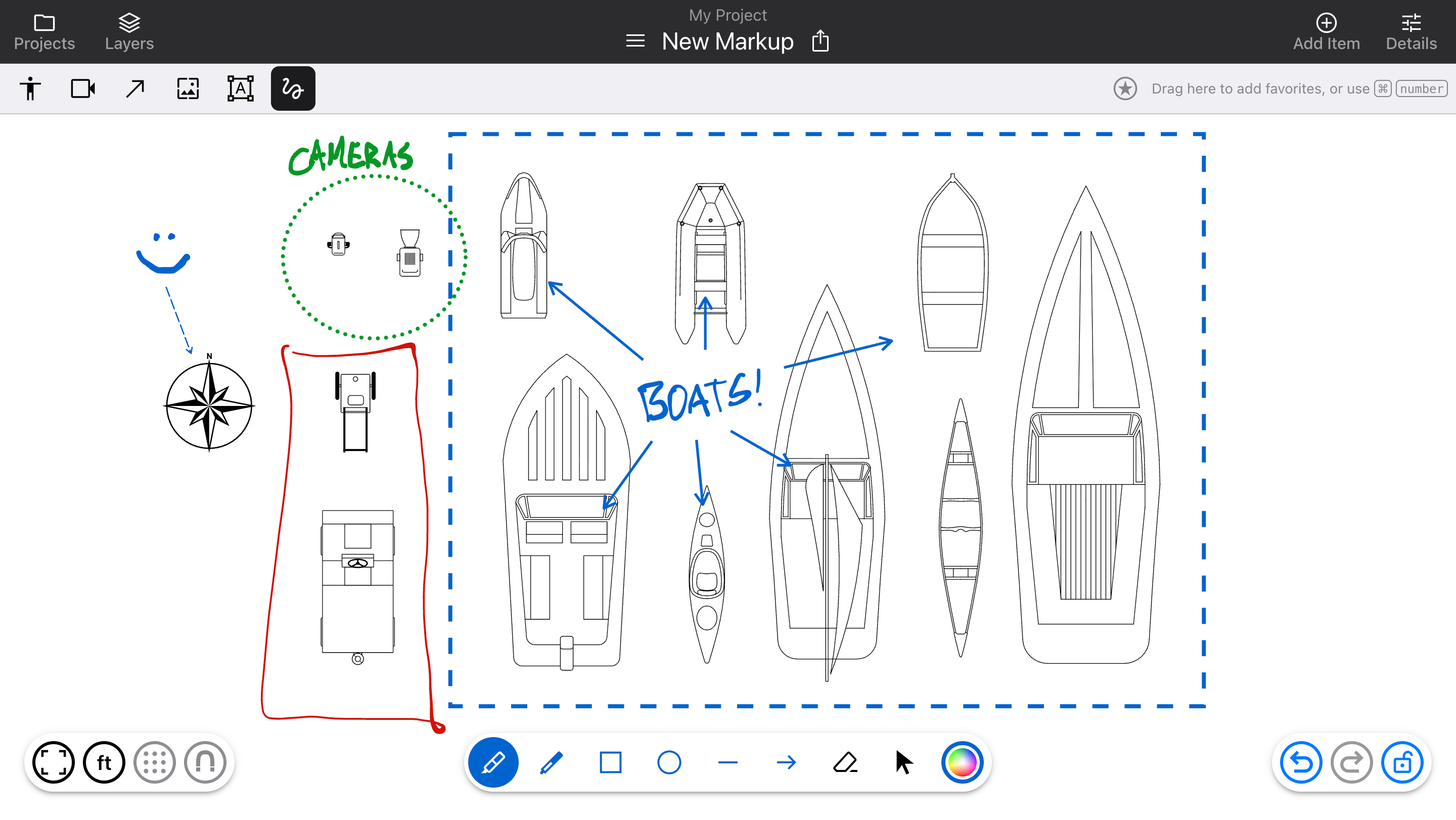
Markup no longer creates individual layers, which become difficult to manage and make it hard to select other items. Now, it all stays in one layer above the rest. Use the top left button (or M key) to toggle it on and off.

  • Added new tools: Marker and Pen (which replace the single “Draw” tool), plus Rectangle, Ellipse, Line, and Arrow

  • Once added, a Markup item can be resized, and have its style changed (color, thickness, dotted/dashed/solid). Use the “Select” pointer tool and click on items to see the options.

Diagram editor updates

  • Arrows can now be connected to Text items, for flowchart functionality

  • Hold the Option or Alt key and drag an item to duplicate it quickly

  • Added a generic “Item” type, for items that don’t use targeting (like props and landscaping)

  • Support for HEIC format images

  • Request new Cloud Library fixtures directly from the Add Item sidebar

New items

Cameras:

  • Underwater Camera

Fixtures:

  • Canoe

  • Kayak

  • Raft

  • Rowboat

  • Sailboat

  • Jet Ski

  • Fishing Boat

  • Speedboat

Items:

  • Compass

Bug fixes

  • Fixed an issue where text would not be rotated properly on PDFs

  • Rotating items clockwise from “upright” would cause a small jump in rotation
NewImprovedFixed

Scenario v2.5

Added “Camera” items with new features, plus a bug fix.

  • Released November 4, 2025

  • Availability: all devices, all accounts

Camera items

Cameras are now a separate item type, with their own behaviors:

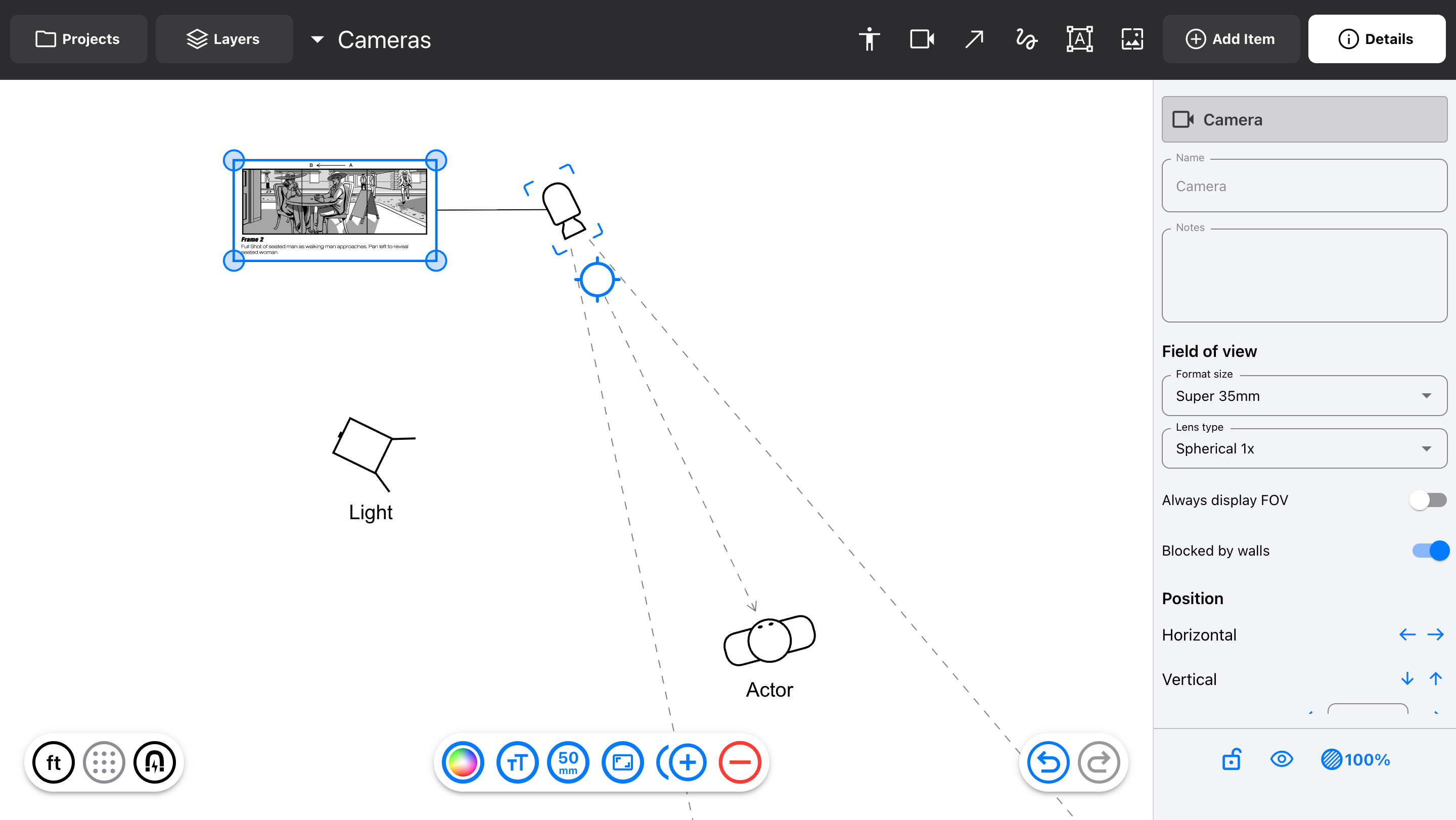
  • Cameras display their field of view, calculated from the lens focal length and the camera's format size

  • Build your lens package that's shared with the whole Project (or is specific to that Diagram)

  • Add zoom lenses, and change the FOV within the zoom range

  • Add an image that represents how the frame should look (storyboard, viewfinder, or some other reference)

  • Hide and show Cameras (and frame images) separately from Fixtures, so blocking and lighting don't have to overlap for everyone

To use new features for Camera and Actors, make sure to add NEW items to the diagram. Items that were added before this update are still Fixtures.

Bug fixes

  • Project exporting now includes Folder names

  • Importing Projects that were exported with Folders, before this fix: will include the Folders when imported, but they will have generic names (Folder 1, Folder 2) and will need to be renamed

v2.5.1

Fixed some small bugs with Cameras:

  • FOV control points would position unevenly when their lines intersected a Wall

  • Changed the width of a zoom lens in the lenses tray

  • Lens package tray would move when copy/pasting lenses

NewFixed

Scenario v2.2

Released October 8, 2025

Device

Web

Tablet

Desktop

Mobile

Availability

✅

✅

Mac

✅

Summary

Added new items to the built-in library:

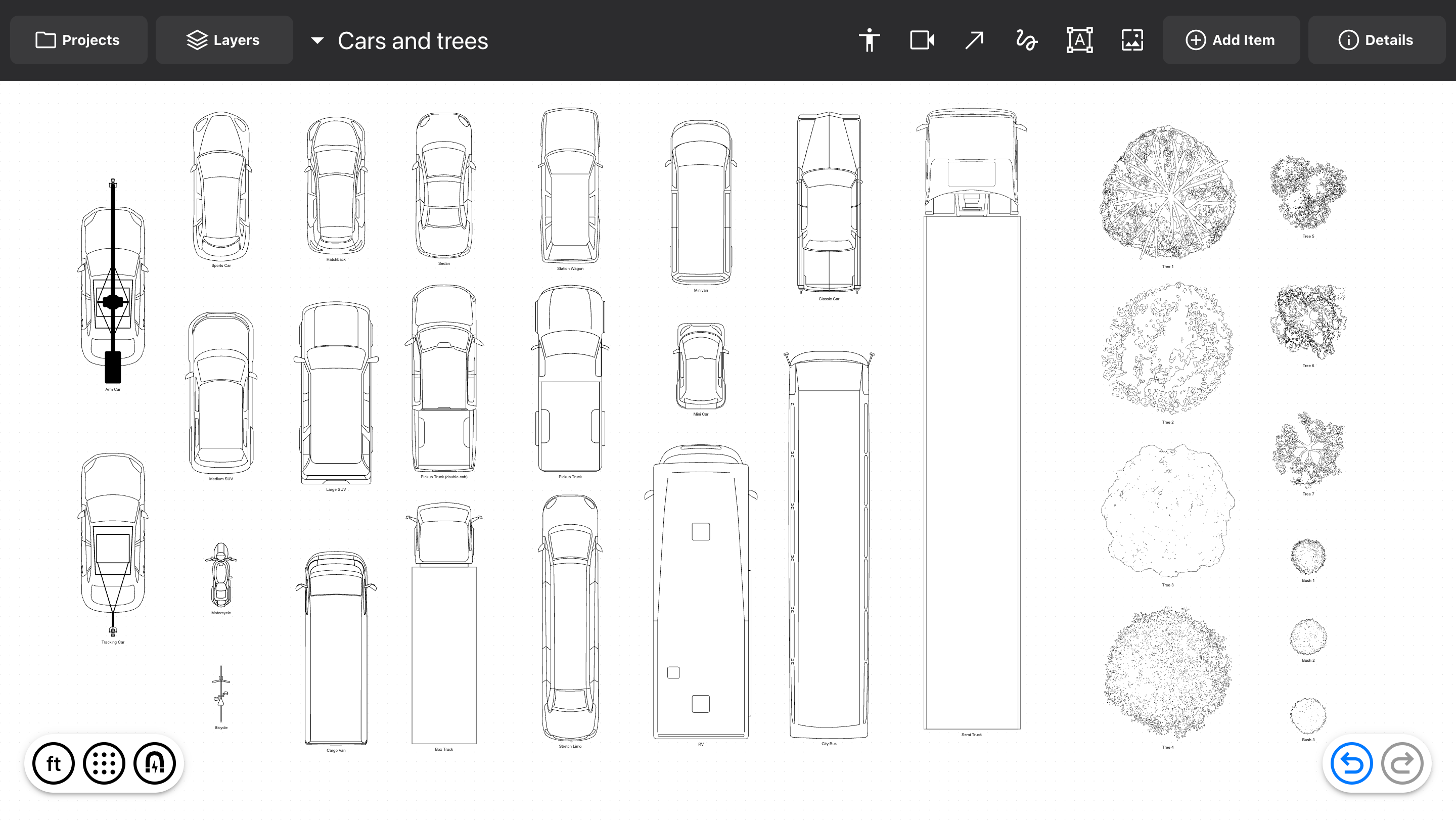
  • Cars (21 new models)

  • Landscape items (7 trees, 3 bushes)

  • Strip lights

Improvements to Diagram editing:

  • Fixed a bug where selecting “Show in Layers” wouldn’t work if the Layers sidebar was already open

  • For Text items, switched to four-corner resizing, and the Enter key starts a new line (while CMD Enter ends editing)

NewImprovedFixed

Earlier updates